Ghibli Color Palettes: The Complete Guide to Capturing the Signature Warmth
The iconic warmth of classic anime art isn't accidental — it's a deliberate, repeatable color system. Understanding it will transform your AI generations from generic to genuinely magical.
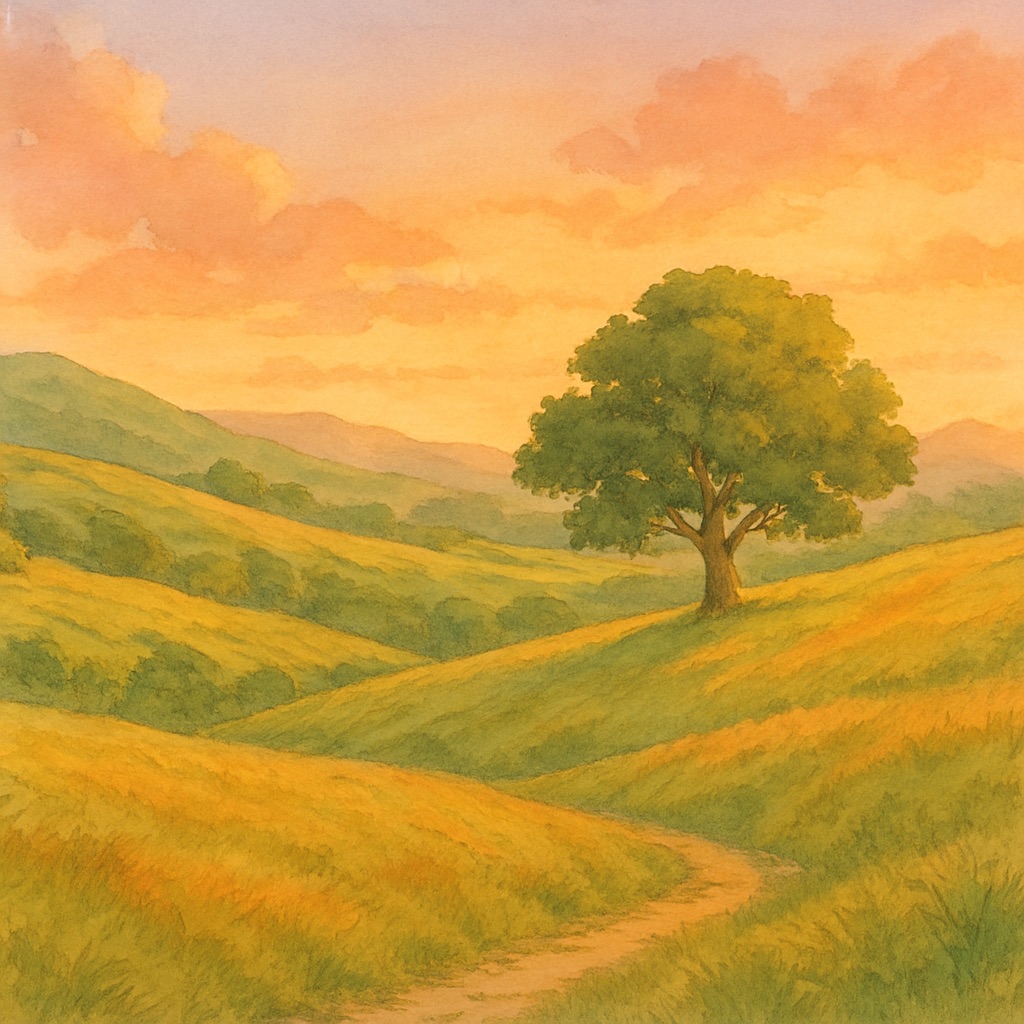
If you've ever tried to recreate the exact emotional warmth of a classic painted anime scene and found your AI generations consistently falling short, the problem is likely color. The signature look of hand-painted Japanese animation isn't just about style — it's built on a very specific, deliberate color system that operates by different rules than contemporary digital art.
The Foundational Color Principles
Classic anime backgrounds use four foundational color principles: desaturation at scale, warm-cool contrast, simultaneous contrast for depth, and analogous harmony broken by a single accent. Understanding each gives you the tools to specify color direction with precision in your AI prompts.
1. Desaturation at Scale
In traditional painted animation, large background areas are always less saturated than foreground elements. This creates a natural sense of atmospheric depth — the more distant an element, the more it fades toward a neutral mid-tone. In AI prompting, you enforce this by specifying 'muted background tones, desaturated distance, atmospheric haze' while allowing your foreground subject to carry the saturated accent colors.
2. The Warm Sky, Cool Shadow Principle
The most recognizable quality of classic painted animation is the relationship between warm light and cool shadows. Sunlit areas carry warm yellows and ambers; shadow areas shift to cool blue-greens and lavenders. This chromatic temperature contrast is what gives painted scenes their luminous, almost glowing quality. Specify this explicitly: 'warm golden highlights, cool blue-green shadows, chromatic temperature contrast.'
Signature Color Palettes by Scene Type
| Scene Type | Dominant Tones | Accent Color | Shadow Quality |
|---|---|---|---|
| Golden Hour Field | Warm amber, soft gold, pale yellow | Deep jade green | Long blue-purple shadows |
| Forest Interior | Layered jade, sage, emerald greens | Warm cream sunbeams | Cool teal-black understory |
| Misty Morning | Cool silver, pale lavender, soft white | Warm orange horizon | Flat blue-grey fog |
| Night Sky | Deep indigo, midnight blue, navy | Warm yellow window lights | Black-green tree silhouettes |
| Coastal Afternoon | Soft turquoise, sea-glass blue | Sandy warm neutral | Aquamarine deep water |
Translating Color Theory to AI Prompts
Abstract color theory needs to be converted into concrete keyword language the AI understands. Instead of 'warm-cool contrast,' specify 'golden amber sunlight, long cool blue shadows, chromatic temperature shift from warm highlights to cool midtones.' Instead of 'desaturated distance,' use 'atmospheric haze, soft distance blur, muted far-background tones fading to cool grey-green.'
- ✦Golden hour: 'warm golden-amber light, long shadows, honey-yellow tones, rich warm highlights'
- ✦Misty morning: 'cool silver mist, soft lavender fog, diffused flat light, pale cool tones'
- ✦Forest dapple: 'jade green canopy, warm cream sunbeams, layered translucent greens, dappled light'
- ✦Twilight: 'deep indigo sky, warm salmon horizon, purple-blue shadows, first stars appearing'
- ✦Rainy grey: 'flat cool silver light, saturated wet greens, reflective puddles, cool blue-grey overall tone'
Common Color Mistakes in AI Art
The most frequent color failure in AI-generated anime art is over-saturation. AI models default to high saturation because it looks visually striking in preview thumbnails. The fix is to explicitly request restraint: 'muted color palette, restrained saturation, harmonious analogous tones, soft color transitions.' Adding 'desaturated, muted, harmonious' to your negative-adjacent color guidance is often more effective than positive specification alone.