Mastering Studio Ghibli AI Prompts: The Definitive Guide to Painterly Aesthetics
Simply typing 'make it look like anime' rarely produces magical results. This guide reveals the exact vocabulary you need to coax AI into producing authentic, painterly Ghibli-style artwork every time.
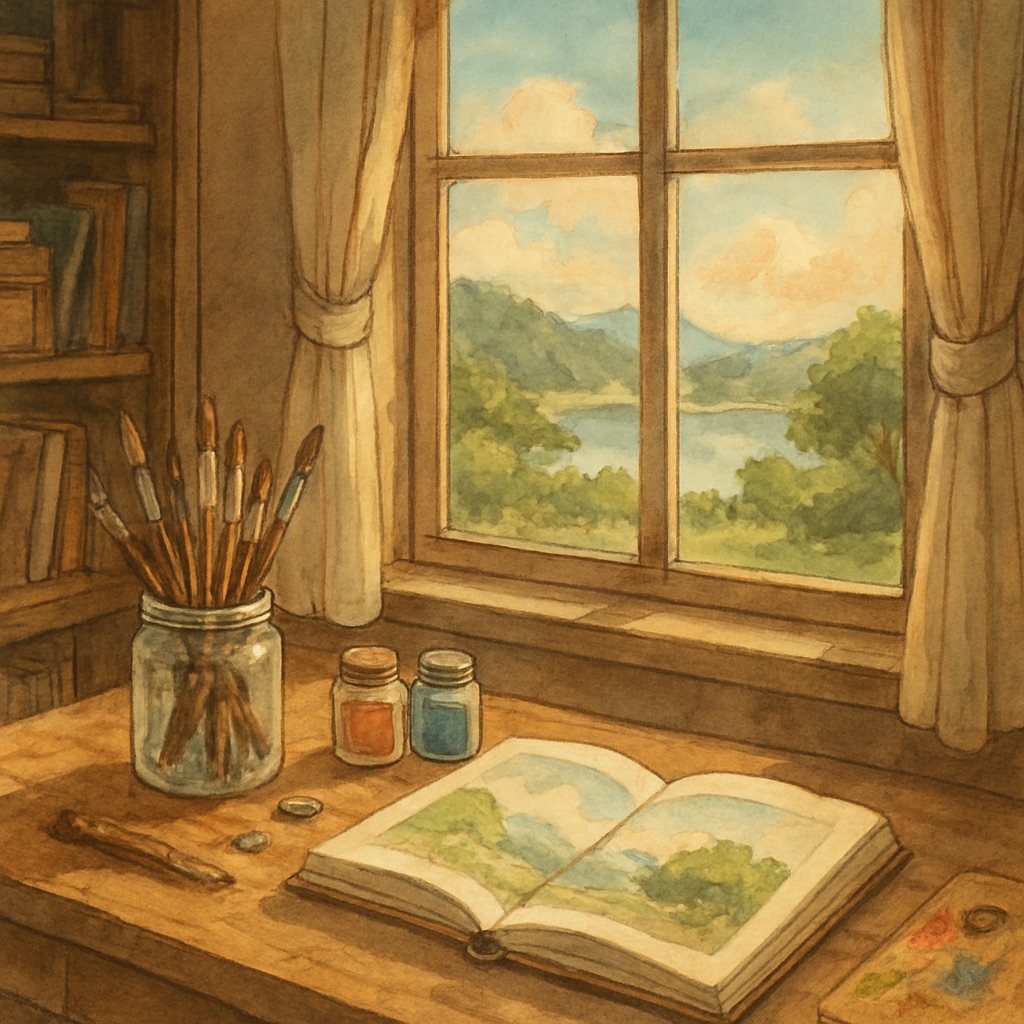
For decades, the distinct visual language of classic Japanese animation has captivated audiences worldwide. Characterized by lush, hand-painted watercolor backgrounds, dynamic natural elements, and soft nostalgic lighting, this aesthetic evokes a profound sense of wonder. Historically, replicating this style required years of traditional artistic training. Today, with AI image generators, anyone can produce breathtaking anime landscapes — but only if they know how to ask correctly.
The most common mistake beginners make is under-specifying their prompt. Typing 'anime forest' gives the AI almost no useful direction. The model defaults to its statistical mean — a flat, hyper-clean digital rendering that looks nothing like the hand-crafted watercolor worlds of classic animation. This guide will fix that.
The Four Pillars of an Effective Ghibli-Style Prompt
Through extensive testing across hundreds of generations, the best results consistently come from prompts built on four structural pillars: Subject, Medium, Environment, and Lighting. Miss any one of these and your output loses its magical quality.
Pillar 1 — Defining the Medium and Texture
The single most impactful modification you can make is specifying the physical medium. If you don't tell the AI how the image should be 'painted,' it defaults to a flat digital rendering. These medium-specific keywords anchor the entire aesthetic:
- ✦hand-drawn cel animation style
- ✦soft watercolor textures, gouache background painting
- ✦thick painterly brushstrokes, visible grain
- ✦traditional Japanese illustration, ink wash technique
- ✦1990s anime film still, analog grain, slight film dust
Pillar 2 — Environmental Storytelling
In classic anime, the background is never passive — it's a living character. Instead of prompting for a generic 'forest,' describe its specific texture and mood. 'Ancient camphor tree with moss-covered roots, wind-swept grass, ferns catching afternoon light' forces the model to generate intricate, organic detail. Adding dynamic phenomena — sunbeams filtering through a dense canopy, gentle rain hitting cobblestones, drifting dandelion seeds — elevates the image from a simple scene to a cinematic still.
Pillar 3 — Lighting and Emotional Atmosphere
Lighting dictates the emotional resonance of the artwork entirely. Avoid artificial or hyper-realistic keywords like 'Unreal Engine 5' or 'ray-traced lighting.' These pull the model toward photorealism instead of painterly warmth. Use these instead:
- ✦golden hour sunlight, long shadows across meadow
- ✦soft diffused morning mist, cool blue-green tones
- ✦warm lantern glow, flickering candlelight interior
- ✦overcast silver sky, flat soft light
- ✦ethereal bioluminescent night, moonlit fog
Pillar 4 — Quality and Composition Anchors
Always close your prompt with quality anchors that signal the model to produce a refined, complete composition. Essential closing terms include: highly detailed, masterpiece, cinematic composition, wide establishing shot, rule of thirds, soft depth of field.
The Master Prompt Template
Combine all four pillars into this reliable formula:
Example in action: "A young girl with a red satchel standing in a flooded railway station at sunset. Fluffy cumulus clouds reflecting in the shallow water, swallows circling overhead. Painted in a traditional hand-drawn cel animation style, soft watercolor background, golden hour lighting, warm amber tones, whimsical, nostalgic, highly detailed, masterpiece."
Common Mistakes That Destroy Your Results
- 1.Using photorealism keywords (4K, ultra-HD, photorealistic, Unreal Engine) — these actively fight the painterly aesthetic.
- 2.Over-describing the subject and under-describing the environment — Ghibli is famous for its backgrounds.
- 3.Forgetting the medium entirely — 'watercolor' and 'cel animation' are the most important single words you can add.
- 4.Not specifying lighting — 'golden hour' alone can transform a mediocre prompt into something magical.
- 5.Using generic nature words like 'forest' or 'ocean' without specificity — describe texture, age, and atmosphere.
Advanced Technique: The Negative Prompt
For platforms that support negative prompts, use this block to actively suppress unwanted aesthetics: 'photorealistic, 3D render, CGI, sharp edges, flat colors, digital art, modern anime, over-saturated, neon colors, harsh shadows, low quality, blurry, deformed.' This is especially powerful for preventing the AI from defaulting to modern, hyper-polished anime styles that feel nothing like classic painted backgrounds.
Ready to Put This Into Practice?
The best way to internalize these techniques is repetition. Head to the GhibliAI generator and experiment with the templates above. Start with the master formula, then iterate — swap one element at a time to see how each variable shifts the final aesthetic. You'll develop intuition for the model's behavior surprisingly quickly.